‘Tips and Tricks’ Category
Tips for working better on your desktop computer.
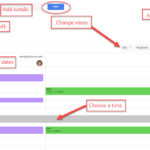
Finding a Meeting Time with Google Calendar
Do you need to schedule meetings with others at Gustavus (or other Google users)? Is it a challenge to find a time that works for your group? Google Calendar can help with a small or large group! To Find a Time using Google Calendar: Log into your Gustavus Google Calendar with your Gustavus username and […]
Create a Google Calendar based on Gustavus Calendar Events
Have you ever wished you could see all of the Gustavus Calendar Fine Arts events on your Gustavus Calendar without having to manually enter all of them? Looking to have all the Gustavus Softball games on your Gustavus calendar? There is a way! To do this: Log into your Gustavus Google Calendar with your Gustavus […]
Getting started with Google Calendar – accessing and adding events
Getting Started with Google Calendar at Gustavus Navigate to https://calendar.google.com Type in your Gustavus email address and click Next. Login using your Gustavus username & password. Your Gustavus Google Calendar will open. Navigation On the left, the calendars you have access to will be displayed. On the top, you […]
GusMail (powered by Google) now available to all current students
All current students are eligible to migrate to GusMail at this time. Please see https://gustavus.edu/gts/GusMail for more information.
Technology Updates for First Year Students – Gustavus Email on your Tablet/Phone
Students that have a smartphone or tablet find it extremely useful to add their Gustavus email account to their devices. such as iPhones, iPads, and Android devices. There are several pages on our GTS wiki to help you set up your Gustavus email on your phone and tablet: Apple iPhones/iPads: https://gustavus.edu/gts/IOS_Mail Android Phones/Tablets: https://gustavus.edu/gts/Android Other Smartphones: https://gustavus.edu/gts/Smartphone_(Device)_Settings_for_Email_and_Gustavus_Google_Calendar […]
Gustavus E-mail Being Blocked
Currently, certain businesses and email hosting sites (like corpgraph.com and mnsu.edu) are blocking emails sent from Gustavus e-mail addresses. Messages sent from WebMail (http://webmail.gac.edu) will NOT be blocked. We are working on a solution to this problem. However, due to its nature, resolution may take 12 – 24 hours. This problem was caused by a […]
Attention Seniors! Technology after Gustavus
Seniors, Congratulations on your upcoming graduation! For more information regarding technology/e-mail after you graduate from Gustavus, please use the links below. These web pages include Frequently Asked Questions and some helpful hints for managing e-mail and home directories after graduating. http://gustavus.edu/gts/Technology_after_Gustavus For more information regarding Alumni email: http://gustavus.edu/gts/Alumni_Email_Account_Options If you have any questions or concerns, […]
Another round of Phishing e-mails…
This afternoon many of our users received an e-mail from “Gustavus Security” asking users to log in to keep it active and protected. This e-mail is not from us nor Campus Safety. It is a phishing attempt. Please don’t reply to it or click the link. It is important to note that Gustavus Technology Services […]
Quick Navigation to Webmail
Many Gustavus users use Webmail as their primary, or secondary email client. Navigating to the WebMail interface from the Gustavus on campus pages can take time. To quickly jump to the WebMail interface just type: webmail.gac.edu in your navigation bar.
Where’s your USB flash drive?
The Technology Helpline finds many USB flash drives, throughout the year, in the Olin computer lab. Please remember to grab your flash drive when you are done using lab computers. We will do our best to return found flash drives to their respective owners. Helpful hint: Create a (.doc) Word file with your contact information […]